
Junostarpro Docs
Modules Panel
The Modules panel in JunostarPro lets you quickly create and edit your site’s modules without ever leaving the Template Manager, making your workflow smoother and more efficient during template and content design.

Main Features
Create New Module
The “Create New Module” button allows you to quickly add a new Joomla module to your site, directly from the plugin no need to leave your design environment.

Search and Filters
Easily find the module you need using the instant search field or by filtering by language - especially useful for multilingual sites.
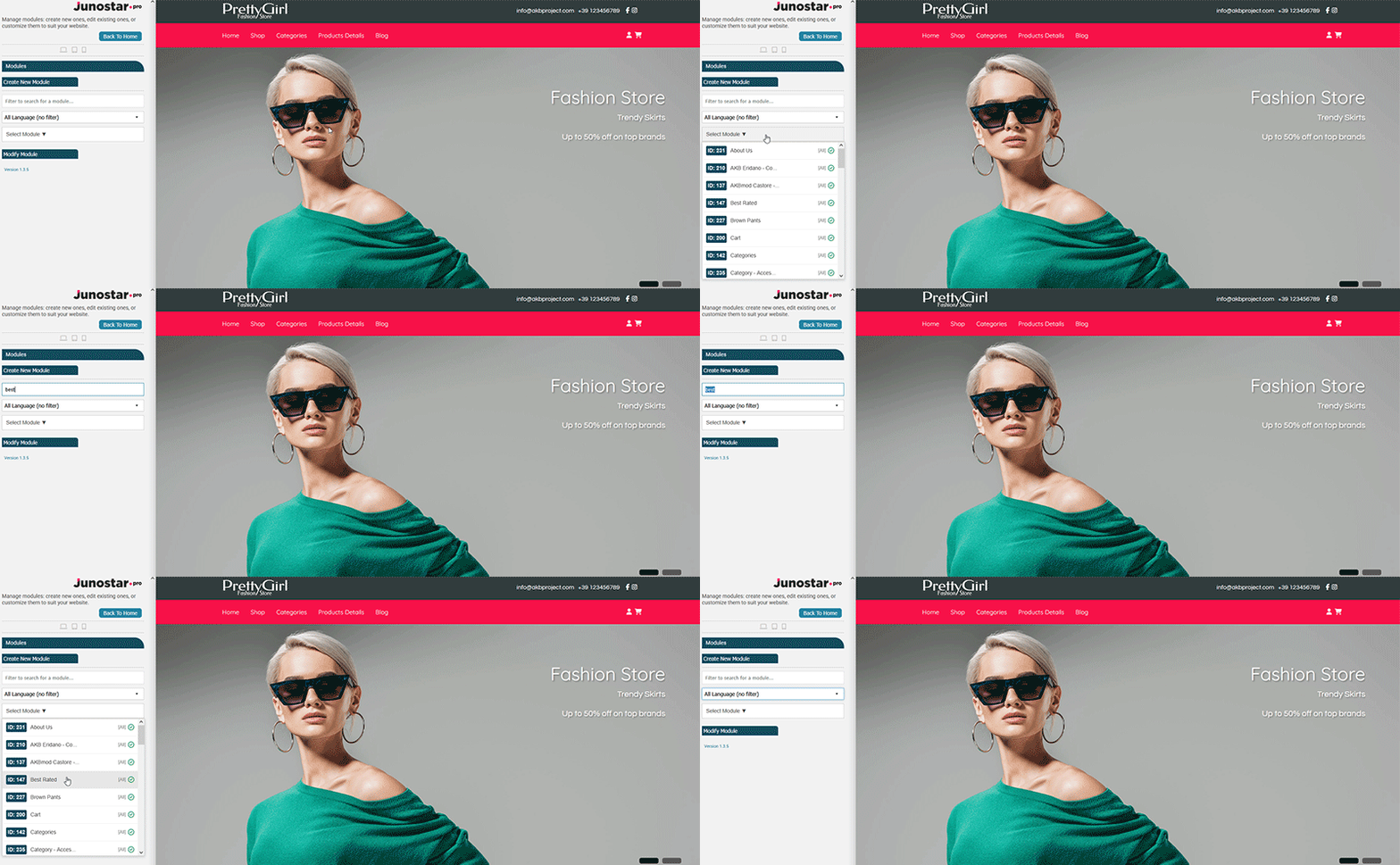
Quick Select and Edit
Select any existing module from the dropdown list and edit it immediately with the “Modify Module” button no need to navigate to the backend.
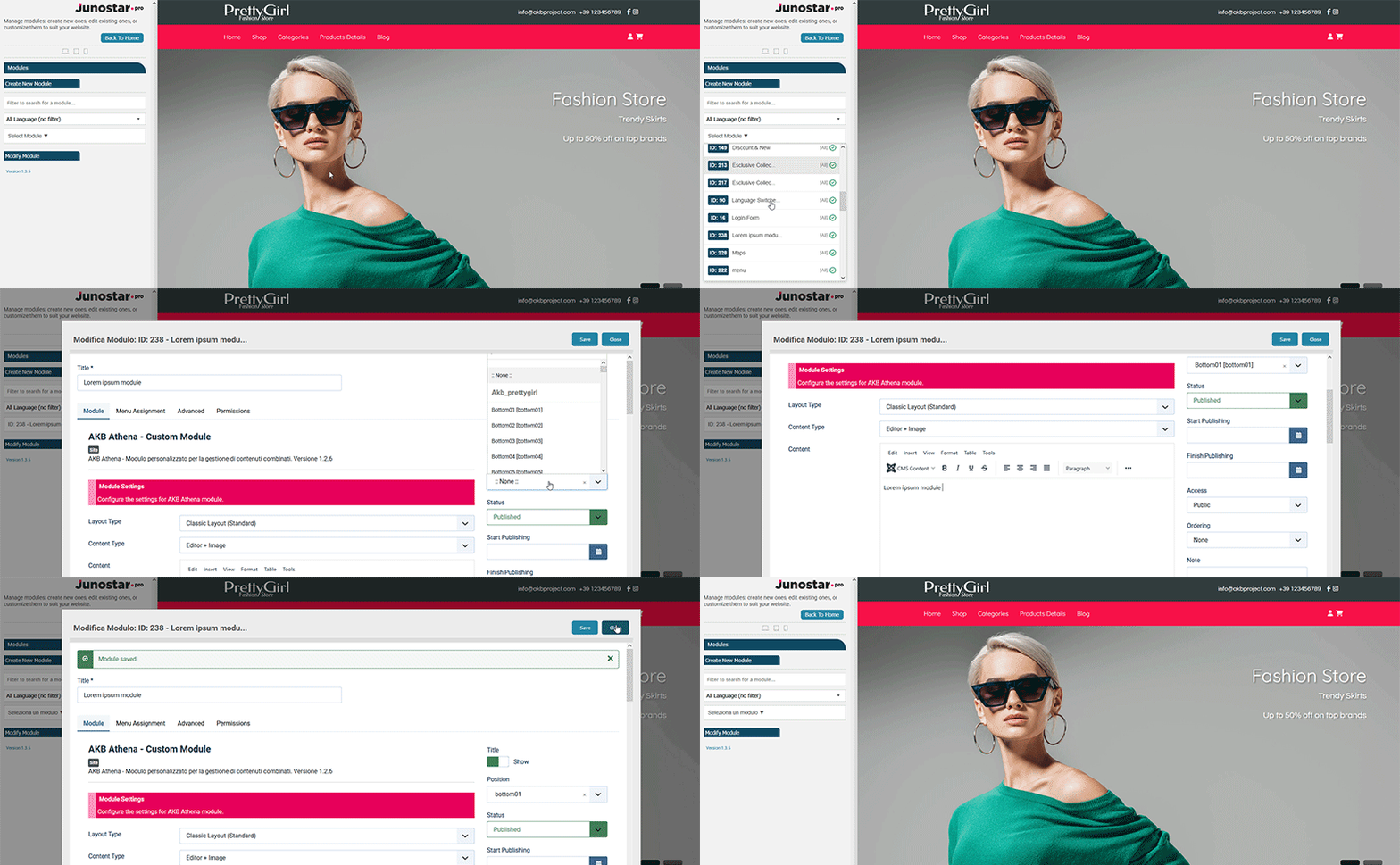
While designing your template, if you need to quickly create a new module, adjust an existing one, or see changes reflected right away in your layout, you can do it all directly from the JunostarPro Modules panel saving you time and keeping your workflow seamless.
The Modules panel is designed for quick creation and editing of modules. For all advanced operations such as deleting, duplicating, reordering, batch managing, or moving multiple modules at once use the full Joomla modules management in the backend. The JunostarPro Modules panel is the perfect tool for fast and convenient module management during the design phase.